OBD2 Mode 6 is a powerful diagnostic function that many car owners overlook. While standard diagnostic trouble codes (DTCs) tell you what system is failing, Mode 6 data gives you the actual test results from your vehicle’s onboard monitors. This can help you pinpoint intermittent issues or verify that a repair actually fixed the problem. In this guide, you’ll learn how to access and interpret Mode 6 data to become a smarter DIY mechanic.
What Exactly Is OBD2 Mode 6?
Mode 6 is part of the OBD2 standard that allows you to view the results of non-continuous monitors. These are tests that run only under specific driving conditions, like the catalytic converter efficiency or the EVAP system leak test. Unlike continuous monitors that run all the time, these tests happen less frequently, and their results are stored in the engine control module (ECM). Mode 6 data shows you the test values, the pass/fail limits, and whether the test has passed or failed.
How to Access Mode 6 Data
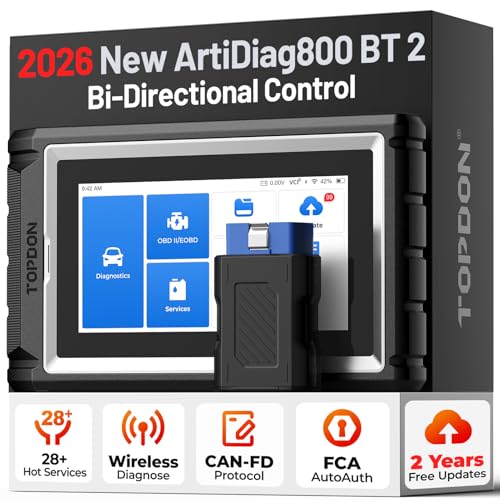
You need a scan tool that supports Mode 6. Many basic code readers only show DTCs, but mid-range and professional scanners can access Mode 6. Here’s how to get to it:
- Plug your scanner into the OBD2 port (usually under the dash).
- Turn the ignition to the “on” position without starting the engine.
- Navigate the scanner menu to “Mode 6” or “On-Board Monitors.”
- Select the monitor you want to inspect, or view all tests.
Some apps and Bluetooth adapters also show Mode 6 data on your phone, but make sure your adapter supports it.
Understanding Mode 6 Test Results
Each test has a few key values: the test ID (TID), the component ID (CID), the current value, the minimum limit, and the maximum limit. The current value is what the sensor or system measured during the latest test. If that value falls between the minimum and maximum limits, the test passes. If it goes outside those limits, the test fails and often triggers a check engine light.
For example, the catalytic converter monitor might show a value of 0.5 for oxygen storage capacity. The minimum limit might be 0.3. Since 0.5 is above 0.3, the test passes. But if the value drops to 0.2, the test fails, and you’ll likely get a P0420 code.
Using Mode 6 to Diagnose Intermittent Issues
One of the best uses of Mode 6 is tracking down intermittent problems. If your check engine light comes on and then goes off, the related DTC might not be stored yet, but Mode 6 can show you if a monitor is getting close to failing. For instance, if the EVAP monitor shows a value that is near the limit, you know you have a slow leak even before the code sets. That allows you to fix the issue before it becomes a full-blown problem.
Verifying Repairs with Mode 6
After you replace a part, you can use Mode 6 to confirm the repair worked. Clear the codes, drive the car through the necessary drive cycle to run the monitor, and then check Mode 6 again. If the value is now well within the limits, your repair was successful. If the value is still close to the limit or failing, you may have missed something. This saves you from guessing and prevents unnecessary part replacements.
Common Mistakes When Reading Mode 6
Reading Mode 6 can be confusing. Here are a few pitfalls to avoid:
- Don’t compare values across different vehicles. Limits vary by make and model.
- Don’t assume a failed test means a bad part. Sometimes a failed test is due to a wiring issue or a weak battery.
- Don’t ignore pending codes. They often relate to Mode 6 tests that have failed once but haven’t yet triggered the light.
- Don’t forget that some monitors only run when the fuel tank is between 15% and 85% full, so plan your drive cycle accordingly.
If you’re unsure what a specific test means, look up the TID and CID in your vehicle’s service manual. Many online resources also list them for common models.
Mastering Mode 6 data takes a bit of practice, but it’s a valuable skill for any car owner. It gives you a deeper look into your vehicle’s health and can save you time and money on diagnostics. Next time you see a check engine light, don’t just read the code. Dive into Mode 6 and see what the monitors are actually saying.
Frequently Asked Questions
What does Mode 6 mean on an OBD2 scanner?
Mode 6 on an OBD2 scanner shows the results of non-continuous monitor tests, such as catalytic converter efficiency or EVAP leak detection. It includes current test values and their pass/fail limits, helping you diagnose issues that don't always trigger a code.
Can a basic OBD2 code reader access Mode 6?
Most basic code readers only display DTCs, not Mode 6 data. You'll need a mid-range or professional scan tool, or a smartphone app with a compatible Bluetooth OBD2 adapter, to view Mode 6 information.
How do I use Mode 6 to find an intermittent problem?
Look at the current values in Mode 6 and compare them to the limits. If a value is close to the limit, that monitor is at risk of failing. This can alert you to a developing issue before the check engine light comes on, allowing you to fix it early.