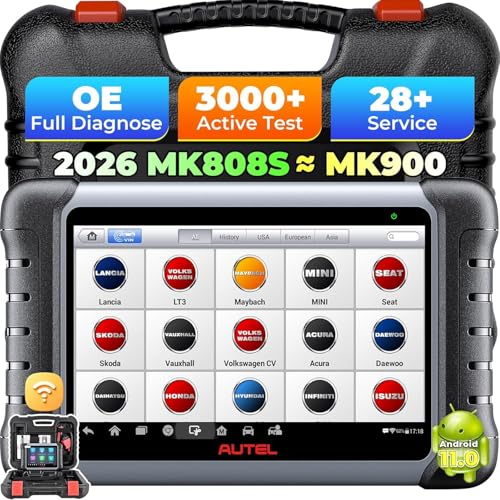
Clearing OBD2 codes is a common task for DIY car owners. Whether you just fixed a problem or need to reset your check engine light, knowing the right steps and the risks involved can save you time and trouble. This guide explains how to clear codes safely and what to expect afterward.
What Does Clearing Codes Actually Do?
When you clear OBD2 codes with a scanner, you tell your car’s computer to erase the stored diagnostic trouble codes and reset the check engine light. It also clears freeze frame data and resets the readiness monitors for emissions systems. This is useful after a repair to confirm the fix worked, but it does not fix the underlying issue if the fault is still present.
Clearing codes is not the same as fixing a problem. If the cause remains, the code will come back, often within a few drive cycles.
Step by Step: How to Clear Codes with a Scanner
Here is the basic process for clearing codes using an OBD2 scanner. The steps are similar for most hand held scanners or mobile apps with a Bluetooth adapter.
- Turn off the engine and all accessories.
- Plug the scanner into the OBD2 port, usually under the dashboard on the driver’s side.
- Turn the ignition key to the “ON” position, but do not start the engine.
- Wait for the scanner to power up and communicate with the vehicle’s computer.
- Select the “Read Codes” option to see the stored codes. Write them down for reference.
- Choose the “Erase Codes” or “Clear Codes” option. Some scanners call it “Reset” or “Clear DTCs.”
- Confirm that you want to clear the codes. The scanner will send the command, and the check engine light should turn off.
- Turn off the ignition and unplug the scanner.
After clearing, start the car and check that the light stays off. If it comes back on right away, the problem is still active.
Why You Should Not Clear Codes Without Fixing the Problem
Many people clear codes to temporarily turn off the check engine light, especially before an emissions test. This is risky and often backfires. Your car’s computer will detect that the readiness monitors are not complete, and many states will fail your vehicle on the spot. In some cases, the light will come back on within a few miles, and you still have the underlying issue.
Driving with a cleared code but an unfixed problem can also cause further damage. For example, a misfire code cleared without repair can damage the catalytic converter over time, leading to a much more expensive fix.
What Happens After Clearing Codes: Drive Cycle and Readiness
Once you clear codes, the computer resets the readiness monitors to “not ready.” To pass an emissions test, your car usually needs to complete a drive cycle, which is a specific pattern of driving that allows the monitors to run and report status. This can include idling, city driving, and highway speeds.
If you clear codes and go straight to an emissions test, you will likely fail because the monitors are incomplete. You need to drive for a while, sometimes a few days, to complete the cycle. The exact drive cycle depends on the make and model, so check your owner’s manual or look up the procedure online.
When It Is Safe to Clear Codes
Clearing codes is appropriate in these situations:
- After completing a repair, to reset the light and confirm the fix.
- When a mechanic asks you to clear codes as part of a diagnostic process.
- If you have a scanner and want to see if a code is intermittent, though this is less common.
It is not safe to clear codes just to hide a problem or to pass an emissions test without fixing the issue. Always address the root cause first.
Common Mistakes to Avoid When Clearing Codes
Here are pitfalls that can cause problems:
- Forgetting to write down the codes before clearing them. You lose the diagnostic info.
- Clearing codes while the engine is running. Always turn the engine off.
- Using a cheap scanner that cannot clear codes. Some basic readers only display codes.
- Clearing codes and then immediately turning off the car before the computer saves the new state. Follow the scanner’s instructions.
If you are unsure about your scanner’s features, read the manual or look up the model online.
Final Advice: Use Clearing as a Diagnostic Tool, Not a Fix
Clearing OBD2 codes is a valuable skill, but it should be used responsibly. Think of it as a reset button for your car’s computer, not as a repair. If you have a check engine light, diagnose the code first, fix the problem, and then clear the codes to verify the solution. That way, you keep your vehicle running properly and avoid unnecessary expenses down the road.
Frequently Asked Questions
Will clearing OBD2 codes reset the check engine light permanently?
No, clearing codes only turns off the light temporarily. If the underlying fault is still present, the light will come back on, often within a few drive cycles. It is not a permanent fix.
Can I clear codes without a scanner?
Some cars allow you to clear codes by disconnecting the battery for a few minutes, but this can reset other settings and may not work on all models. Using an OBD2 scanner is the recommended and safer method.
How long does it take for readiness monitors to become ready after clearing codes?
It varies by vehicle, but typically you need to complete a specific drive cycle that includes idling, city driving, and highway speeds. This can take anywhere from a few minutes to a few days of driving.