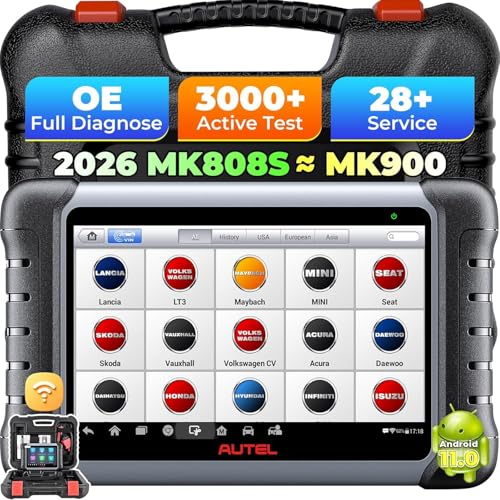
Yes, you can drive with live data displayed from an OBD2 scanner, but it is not recommended for safety reasons. Live data provides real-time engine information, but viewing it while driving can be a dangerous distraction. However, many drivers use it for diagnostics on the road or to monitor performance. This article explains the risks, when it might be acceptable, and safer alternatives.
What Is Live Data and How Does It Work?
Live data refers to real-time information from your vehicle’s ECU (Engine Control Unit) sent via the OBD2 port. This includes parameters like RPM, coolant temperature, fuel trim, oxygen sensor readings, and more. An OBD2 scanner displays this data on a screen, often through a dedicated device or a smartphone app. While driving, the data updates continuously, allowing you to monitor engine performance. However, the screen can be small and hard to read, especially if mounted in an awkward position. For a list of reliable scanners, check out our guide on best OBD2 scanners.
Safety Risks of Driving With Live Data
The primary concern is driver distraction. Even a quick glance at a screen can take your eyes off the road for seconds. At 60 mph, that’s enough distance to cause an accident. Additionally, some scanners have complex menus that require multiple taps to change parameters. Many states have laws against using electronic devices while driving, and an OBD2 scanner could fall under that category. If you must use live data while driving, it’s best to have a passenger operate the scanner. Alternatively, use a scanner with voice alerts or large, simple displays. Remember, no diagnostic data is worth risking your safety.
When Is It Acceptable to Drive With Live Data?
There are a few scenarios where it might be acceptable. For example, if you’re troubleshooting a specific issue like a misfire or overheating, you might need to monitor data under load. In that case, have a passenger read the data. Some modern vehicles have built-in performance displays on the dashboard, which are safer because they are integrated into the driver’s line of sight. Also, if you’re using a scanner with a heads-up display (HUD) that projects onto the windshield, that can be safer. However, even then, limit your focus. For jump-starting issues, see our best jump starters guide.
Alternatives to Driving With Live Data
If you need to diagnose a problem, consider these safer alternatives: First, record live data while parked and then review it. Many scanners have a playback feature. Second, use a scanner with data logging that stores information for later analysis. Third, take a test drive with a passenger who can monitor the data. Fourth, use a professional diagnostic tool that can simulate driving conditions in the shop. Finally, if you suspect a serious issue, have a mechanic perform a road test with their equipment. These methods give you the data you need without compromising safety.
Frequently Asked Questions
Is it illegal to use an OBD2 scanner while driving?
Laws vary by state, but many have distracted driving laws that prohibit using electronic devices while operating a vehicle. An OBD2 scanner could be considered such a device. Always check local laws and prioritize safety.
Can I use a smartphone app for live data while driving?
It is strongly discouraged. Smartphone apps are especially distracting due to small screens and notifications. If you must, mount the phone high on the dashboard and use voice commands. But again, having a passenger is safer.
Does driving with live data affect the vehicle’s performance?
No, reading live data does not affect the vehicle’s performance. The scanner only reads information from the ECU; it does not send commands. However, some advanced scanners can modify parameters, but that is a separate function.
The Bottom Line
While you can physically drive with live data from an OBD2 scanner, it is not a safe practice. The risk of distraction outweighs any potential benefit. Use a passenger or log data for later review. Your safety and that of others on the road should always come first.