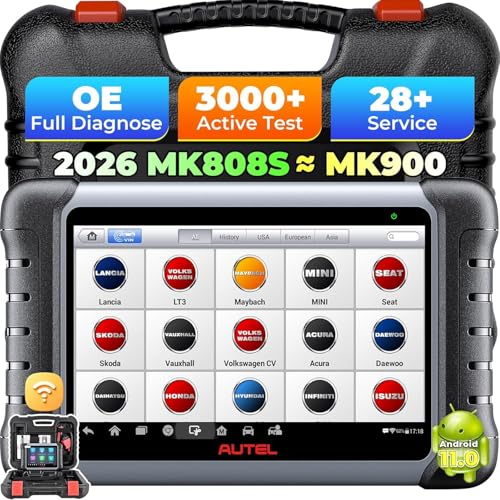
If your OBD2 scanner shows incomplete readiness monitors, you can often fix the issue without expensive repairs. The most common causes are simple: a recent battery disconnect, a loose gas cap, or an incomplete drive cycle. Try these cheap fixes before paying for diagnostics.
1. Perform a Proper Drive Cycle
Many readiness monitors require specific driving conditions to complete. For most vehicles, a drive cycle includes: cold start, idling, acceleration, cruising, and deceleration. Check your vehicle’s manual for exact steps. Typically, you need to drive 30-60 minutes under varied conditions. Avoid short trips as they prevent monitors from running.
2. Check and Tighten the Gas Cap
A loose or faulty gas cap triggers the evaporative emissions monitor to show incomplete. Simply remove the cap and reinstall it until you hear three clicks. If the cap is cracked or the seal is worn, replace it (costs under $20). Then drive for a few days to let the monitor reset.
3. Reset the Battery and Clear Codes
If you recently disconnected the battery, all monitors reset to incomplete. Use your OBD2 scanner to clear any stored codes, then drive the vehicle through a complete drive cycle. Sometimes the battery may be weak; ensure it’s fully charged. A low battery can prevent monitors from running.
4. Verify No Pending Codes or Malfunctions
Some monitors won’t run if there’s a pending code or active check engine light. Scan with a quality OBD2 scanner to see if any codes are stored. For example, a misfire code will block the catalyst monitor. Fix any obvious issues first, then re-run the drive cycle. Consider using a reliable OBD2 scanner to monitor live data.
Frequently Asked Questions
How long does it take for readiness monitors to complete?
It varies by vehicle and monitor. Typically, it takes one to two drive cycles (about 30-60 minutes each) for most monitors to set. Some, like the oxygen sensor monitor, may complete faster. If monitors don’t set after three cycles, there may be an underlying issue.
Can a weak battery cause incomplete monitors?
Yes. A weak or discharged battery can prevent the vehicle’s computer from running all monitors. Ensure the battery is fully charged and in good condition. If the battery is old, consider replacing it. A simple voltage check with a multimeter can help.
Do I need a professional scanner to fix readiness monitors?
Not necessarily. A basic OBD2 scanner can read and clear codes, and many show monitor status. However, to see detailed data like freeze frame or pending codes, a more advanced scanner is helpful. Check out the OBD2 scanner category for options.
The Bottom Line
Before spending money on repairs, always start with the cheap fixes: complete a proper drive cycle, tighten or replace the gas cap, reset the battery and clear codes, and check for any pending issues. These steps resolve the majority of incomplete readiness monitor problems. If the monitors still won’t set, then consider professional diagnostics.