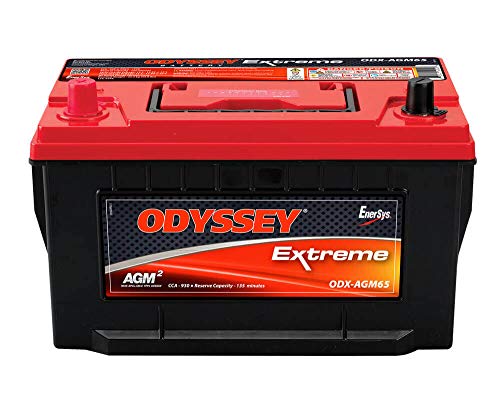
If your car cranks slowly, the dash lights flicker, or the engine just clicks when you turn the key, take a look at the battery terminals before you assume the worst. A fuzzy white, blue, or greenish crust on the posts and clamps is one of the most common reasons a healthy battery acts like a dead one. The good news is that you can usually fix it in your driveway with baking soda and a few basic tools. Here’s how to clean corroded car battery terminals safely and keep the buildup from coming back.
What causes that crusty buildup
The powdery crust is corrosion, and it forms where the battery meets the outside world. As a lead-acid battery charges and discharges, it vents tiny amounts of hydrogen gas and acid vapor. That vapor reacts with the metal in the terminals and clamps and leaves a mineral deposit behind. The color often hints at what’s going on:
- White or grayish powder usually points to normal aging and gas escaping around the posts.
- Blue or green fuzz tends to show up on copper clamps as the copper reacts with the acid.
- Heavy, wet-looking buildup can mean the battery is leaking or being overcharged, which is worth a closer look.
Whatever the color, the crust acts like an insulator. It blocks the flow of current between the battery and your car’s electrical system, so cleaning it off often restores a strong connection right away.
What you’ll need
You probably have most of this on hand already. Gather your supplies before you start so you’re not walking away from an open battery mid-job.
- Safety glasses and a pair of gloves, since battery acid is corrosive
- A wrench or socket that fits your terminal clamp bolts
- Baking soda
- Water in a cup or spray bottle
- A stiff-bristled brush, an old toothbrush, or a dedicated battery terminal brush
- Clean rags or paper towels
- Petroleum jelly, dielectric grease, or a terminal protectant spray for afterward
Disconnect the battery in the right order
Order matters here, and getting it right protects both you and the car’s electronics. Always park on a level spot, turn the engine off, and remove the key. Then disconnect in this sequence:
- Negative first. Loosen and remove the negative cable, marked with a minus sign and usually black. Taking the ground off first means that if your wrench brushes metal while you work on the positive side, there’s no complete circuit to spark.
- Positive second. Loosen and remove the positive cable, marked with a plus sign and usually red.
Tuck each cable off to the side so it can’t flop back onto a post while you clean. When everything is finished, you’ll reverse the order and reconnect positive first, then negative last.
Clean the terminals with baking soda
Baking soda is mildly alkaline, so it neutralizes the acidic corrosion and makes it easy to wipe away. Work through these steps:
- Mix a spoonful of baking soda into a cup of water, or sprinkle dry baking soda directly onto the crust and add a splash of water to start it fizzing.
- Brush the solution over the posts and the inside of the clamps. You’ll see it bubble as it reacts with the deposits. Scrub every contact surface until the metal looks clean and bright.
- For stubborn spots, dab on a little more baking soda paste and give it a minute before scrubbing again.
- Rinse lightly with a small amount of clean water to flush away the residue. Use just enough to rinse, and try to keep water off the rest of the engine bay.
- Dry everything thoroughly with a clean rag. Moisture invites corrosion, so don’t reconnect until the posts and clamps are dry.
Keep the baking soda out of the battery cells themselves. On a serviceable battery with removable caps, make sure they stay shut so nothing drips inside.
Stop the corrosion from coming back
Cleaning is only half the job. A thin protective barrier and a few good habits keep the crust from returning. Based on general guidance and owner feedback, these steps make the biggest difference:
- Coat the terminals. After reconnecting, smear a thin layer of petroleum jelly or dielectric grease over each post and clamp, or use a terminal protectant spray. This blocks the acid vapor from reaching bare metal.
- Add felt washers. Anti-corrosion felt rings slip over the posts and soak up vapor before it can settle.
- Keep the clamps tight. A loose connection lets gas escape and speeds up buildup. Snug is the goal, not overtightened.
- Watch for chronic buildup. If corrosion keeps returning fast, the battery may be leaking or your charging system may be overcharging. Have both checked so you’re not cleaning the same crust over and over.
With clean, coated terminals and a tight connection, most people find the crust stays away for a long stretch instead of creeping back within weeks.
Frequently asked questions
Can I clean battery terminals without disconnecting the battery?
You can, and some people do a quick baking soda rinse with the cables still attached. It’s safer to disconnect, though. Removing the negative cable first eliminates the risk of a spark or short if your tools touch metal, and it lets you scrub the inside of the clamps where a lot of corrosion hides.
Will cleaning the terminals fix a car that won’t start?
Sometimes. If corrosion was blocking the connection, cleaning it can restore a strong crank right away. But if the battery is old, drained, or failing internally, clean terminals won’t bring it back. If a good cleaning doesn’t help, have the battery and charging system tested.
Is baking soda safe to use on my battery?
Yes, baking soda is the go-to choice because it neutralizes acidic corrosion without harming the terminals. Just keep it on the outside surfaces and away from the cells. Rinse lightly afterward and dry everything before you reconnect so no residue or moisture is left behind.