A good Bluetooth OBD2 scanner turns your phone into a diagnostic tool that reads check engine codes, watches live engine data, and tells you why that dashboard light is glowing before you panic and drive to a shop. The catch is that the market is crowded with cheap dongles that drop their connection, misreport data, or only work with one app on one phone. We plugged these into a mix of domestic and import vehicles to see which ones actually pair fast, hold a stable link, and give you readings you can trust.
Below are seven Bluetooth OBD scanners that earned their spot through reliable pairing, accurate code reading, and useful live data. We cover what each one does well, where it falls short, and who it suits best, whether you’re a weekend driver who just wants to clear a light or a serious DIY mechanic who needs deeper system access.
| Photo | Product | Score | Buy |
|---|---|---|---|
 |
BlueDriver Bluetooth Pro OBDII Scan Tool Best Overall Works with iOS and Android, reads ABS, SRS airbag, and TPMS on many makes, generates repair reports |
9.5 |
ⓘ We may earn a commission from qualifying purchases made through links on this page, at no extra cost to you.
|
 |
OBDLink MX+ OBD2 Bluetooth Scanner Best for Enthusiasts Bluetooth 4.0, works with iOS, Android, and Windows, supports Ford, GM, Mazda, Nissan, and Toyota enhanced data |
9.3 | 🛒 Check Price |
 |
Veepeak OBDCheck BLE+ Bluetooth OBD2 Scanner Best Value Bluetooth 4.0 BLE, works with iOS and Android, compatible with Car Scanner, OBD Fusion, and Torque |
9.0 | 🛒 Check Price |
 |
ANCEL BD200 Bluetooth OBD2 Scanner Best Hybrid Design 2.4 inch color screen plus Bluetooth, full OBD2 modes, battery voltage and gauge display |
8.8 | 🛒 Check Price |
 |
FOXWELL NT300 Bluetooth OBD2 Scanner Best for Beginners Bluetooth OBD2 with plain-language code definitions, emissions readiness check, live data graphing |
8.6 | 🛒 Check Price |
|
Kiwi 3 OBD2 Bluetooth Wireless Scan Tool Best Fast Pairing Bluetooth Smart and classic, very high data refresh rate, works with iOS and Android apps |
8.3 | 🛒 Check Price |
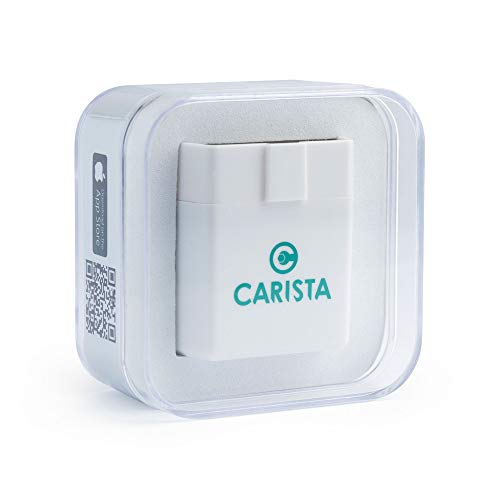 |
Carista OBD2 Bluetooth Adapter Best for Customization Bluetooth Low Energy, supports dealer-level diagnostics and feature customization on VW, Audi, BMW, Toyota, and more |
8.1 | 🛒 Check Price |
1. BlueDriver Bluetooth Pro OBDII Scan Tool: Best Overall
The BlueDriver is the scanner we hand to people who want one tool that just works. Pairing is quick, the connection rarely drops, and the app does something most cheap dongles can’t: it reads more than generic engine codes. On supported vehicles it pulls ABS, airbag, and transmission faults, then ties any code to a repair report that ranks the most likely fixes reported by other owners. That last feature alone saves hours of guesswork when a vague code could mean five different things.
The honest weakness is the walled garden. The BlueDriver dongle is locked to BlueDriver’s own app, so if you prefer Torque or Car Scanner you’re out of luck. Enhanced system coverage also depends heavily on your make, and some import models only expose generic codes. For most drivers that’s a fair trade for the reliability and the repair guidance, but tinkerers who love swapping apps should look elsewhere.
- Reads enhanced manufacturer codes plus ABS, airbag, and transmission systems on supported vehicles
- Generates a repair report database that suggests likely fixes ranked by other owners
- Stable Bluetooth link with a clean, well-maintained companion app
Pros: Goes far beyond basic engine codes into ABS and airbag systems; Repair reports actually point you toward the probable cause; Rock-solid pairing and a polished app on both platforms
Cons: Only works with the official BlueDriver app, not third-party software; Enhanced system coverage varies by make and model
2. OBDLink MX+ OBD2 Bluetooth Scanner: Best for Enthusiasts
The OBDLink MX+ is the enthusiast’s pick because it refuses to lock you into one app. It works with the excellent OBDLink app, but it also plays nicely with Car Scanner, Forscan, and others, which is gold for Ford owners who want to program features or read deep module data. The sampling rate is genuinely fast, so live gauges feel smooth rather than laggy, and the built-in security keeps the dongle from being a back door into your car’s network.
The downside is that all this flexibility puts decisions in your lap. A first-timer can feel lost choosing between apps and figuring out which enhanced features their car supports. There’s a learning curve, and you get the most out of this scanner only after you have matched it to the right software for your make. For a hands-on DIYer that effort pays off, but a casual user may find it more tool than they need.
- Reads manufacturer-specific enhanced data and supports SeaFoam-style monitoring through many third-party apps
- Built-in security to prevent unauthorized access to your vehicle network
- Compatible with a huge range of apps including OBDLink, Car Scanner, and Forscan
Pros: Broad app compatibility, including Forscan for Ford owners; Fast sampling rate for smooth live data and gauges; Strong security and a reliable connection
Cons: Setup and app choice can overwhelm first-time users; Full enhanced features depend on the app you pair it with
3. Veepeak OBDCheck BLE+ Bluetooth OBD2 Scanner: Best Value
The Veepeak OBDCheck BLE+ is the dongle we recommend when someone wants solid Bluetooth diagnostics without overthinking it. Crucially, the BLE chip means it actually pairs with iPhones, something a surprising number of bargain dongles fail to do because they use a classic Bluetooth profile iOS won’t talk to. It reads and clears codes, streams live sensor data, and works with well-regarded apps like Car Scanner and OBD Fusion. The compact body also tucks into the port without jabbing your shin.
What you don’t get is built-in enhanced coverage. The dongle itself is a clean OBD2 interface, so anything beyond generic engine codes, like ABS or airbag faults, depends on buying the right paid app and a compatible vehicle. There’s also no standalone software of its own, so your whole experience rides on the app you choose. For the value it offers, that’s a reasonable limit, but plan on spending a little time picking good software.
- Bluetooth Low Energy chip pairs with both iPhone and Android, unlike many cheaper clones
- Compact dongle that sits flush in the OBD port without blocking your knee
- Works across a variety of popular diagnostic apps
Pros: Genuinely works on iOS, which many budget dongles can’t; Tiny footprint that stays plugged in out of the way; Reliable for basic codes and live data
Cons: No enhanced ABS or airbag reading without a paid app add-on; Relies entirely on third-party apps for features
4. ANCEL BD200 Bluetooth OBD2 Scanner: Best Hybrid Design
The ANCEL BD200 stands out because it doesn’t force you to choose between a screen and a smartphone. It’s a small handheld unit with its own 2.4 inch color display that also pairs over Bluetooth to your phone. That means you can leave it plugged in showing live gauges like RPM, coolant temperature, and battery voltage, then pull out your phone for deeper code reading. The customizable gauge layouts make it a neat permanent monitor for people who like to keep an eye on engine vitals.
The hybrid approach comes with trade-offs. The unit is noticeably bigger than a flush dongle, so in cars with the OBD port near the pedals it can get in the way. The companion app is functional but doesn’t feel as refined as what you get from BlueDriver or OBDLink, and occasional connection hiccups remind you this is a value-focused product. Still, for the dual screen and dongle flexibility, it’s a clever package.
- Doubles as a standalone handheld with its own screen and as a Bluetooth dongle for your phone
- Customizable digital gauges show RPM, coolant temp, and battery voltage at a glance
- Reads and clears codes and runs all ten OBD2 test modes
Pros: Works without a phone thanks to the built-in screen; Live gauge display is great for monitoring while driving; Covers all standard OBD2 functions
Cons: Bulkier than a plain dongle and can block tight footwells; App polish trails the top-tier brands
5. FOXWELL NT300 Bluetooth OBD2 Scanner: Best for Beginners
The FOXWELL NT300 earns its beginner badge by making the scary parts of car diagnostics approachable. Instead of dumping a raw code like P0420 on you, the app explains in plain language what the code means and where to start looking. The one-tap emissions readiness check is a standout for anyone facing a state inspection, since it tells you up front whether the car’s monitors are set or whether you need to drive more first. Live data graphing also helps you watch a sensor misbehave rather than just stare at numbers.
This scanner keeps things deliberately simple, which is also its ceiling. It focuses on engine and emissions diagnostics and doesn’t dig deep into ABS or airbag systems the way pricier tools do. We also noticed the Bluetooth range is a little shorter, so wandering far from the car can drop the link. For a new DIYer who wants clear answers and a smooth first experience, though, those limits are easy to live with.
- Translates cryptic trouble codes into plain English explanations you can understand
- One-tap emissions readiness check tells you if your car will pass inspection
- Graphs live data so you can spot a struggling sensor visually
Pros: Beginner-friendly code definitions remove the guesswork; Emissions readiness check is genuinely useful before an inspection; Simple, uncluttered app experience
Cons: Limited enhanced system coverage beyond engine codes; Connection range is shorter than premium rivals
6. Kiwi 3 OBD2 Bluetooth Wireless Scan Tool: Best Fast Pairing
The Kiwi 3 is the scanner to grab if a flaky connection is your pet peeve. Its dual-mode Bluetooth pairs almost instantly with both iPhones and Android devices, and it holds that link without the random dropouts that plague cheaper dongles. The standout spec is the very high data refresh rate, which makes live gauges feel responsive and gives performance-minded drivers clean, fast logging for things like acceleration runs and boost monitoring. It also sips power in standby, so leaving it plugged in won’t quietly drain your battery.
The Kiwi 3 leans on third-party apps for its actual features, so like most pure interfaces, your experience depends on the software you pick. It also feels less of a bargain than the no-name dongles, and casual users who only ever clear the odd code may not tap into the high refresh rate that justifies it. For data-hungry enthusiasts who want speed and stability, however, it’s a genuinely satisfying tool.
- Dual-mode Bluetooth pairs almost instantly with phones and tablets
- Exceptionally high refresh rate for responsive live gauges and logging
- Low standby power draw to protect your battery on long parks
Pros: One of the quickest, most reliable pairings we researched; Smooth, high-frequency live data ideal for performance logging; Gentle on your car battery when left plugged in
Cons: Pricier feeling value compared to plain budget dongles; Best features need a capable paired app
7. Carista OBD2 Bluetooth Adapter: Best for Customization
The Carista adapter is the pick for owners of VW, Audi, BMW, MINI, Toyota, and similar makes who want to do more than read codes. Paired with the Carista app, it reaches dealer-level diagnostics and, more excitingly, lets you toggle hidden factory features like comfort windows, auto-locking, and lighting behavior, all through a guided interface that doesn’t require any coding skill. For someone who wants to personalize their car without a trip to the dealer, that capability is hard to match at this size.
The honest catch is the business model. Basic code reading is free, but the customization and dealer-level diagnostics that make this adapter special sit behind an app subscription, and the standout features only apply to a defined list of supported brands. Drive an unsupported make and you’re left with a basic scanner. For the right car, though, Carista delivers genuinely unique value that a plain code reader simply can’t.
- Unlocks hidden factory features and customizations on supported European and Japanese makes
- Dealer-level diagnostics that read manufacturer-specific module codes
- Clean app with guided customization toggles, no coding knowledge needed
Pros: Customizes factory features like auto-lock and lighting on supported cars; Reaches dealer-level diagnostics beyond generic codes; Polished, beginner-safe customization interface
Cons: Deeper features sit behind an app subscription; Advanced functions only cover specific supported brands
Frequently Asked Questions
Do Bluetooth OBD2 scanners work with both iPhone and Android?
Not all of them, and this is the single biggest gotcha when shopping. Many cheap dongles use a classic Bluetooth profile that Apple iOS refuses to connect to, so they only work on Android. To use an iPhone, look for a scanner that specifically advertises Bluetooth Low Energy or BLE, such as the Veepeak OBDCheck BLE+, the BlueDriver, or the Carista adapter. The product listing will usually state iOS compatibility clearly, so check for that wording before buying if you’re an iPhone user.
Can a Bluetooth OBD scanner clear my check engine light?
Yes. Every scanner on this list can read and clear generic engine trouble codes, which turns off the check engine light. Keep in mind that clearing the code doesn’t fix the underlying problem. If the fault is still present, the light will simply come back after you drive a bit and the car re-runs its self-tests. Use the scanner to diagnose and repair the actual cause first, then clear the code to confirm the fix held.
What is the difference between generic and enhanced OBD2 codes?
Generic codes are the standardized engine and emissions codes that every OBD2 car since 1996 must report, and any scanner here can read them. Enhanced codes are manufacturer-specific and cover systems like ABS, airbags, transmission, and body modules. Reading enhanced data needs a scanner and app that support your particular make, which is where tools like the BlueDriver, OBDLink MX+, and Carista pull ahead of basic dongles. If you only need engine codes, generic coverage is plenty.
Is it safe to leave a Bluetooth OBD scanner plugged in all the time?
It can be, but it depends on the dongle’s standby power draw. Some scanners keep drawing current even when the car is off, which can slowly drain your battery over days of sitting. Scanners designed with low standby power, like the Kiwi 3, are safer to leave connected. If your dongle doesn’t advertise low power draw, the safest habit is to unplug it when you park the car for an extended period, especially in cold weather when batteries are already stressed.
Do I need to pay for an app to use a Bluetooth OBD scanner?
It varies by product. Some scanners include their own free app with full features, such as the BlueDriver. Others are pure interfaces that rely on third-party apps like Car Scanner, Torque, or OBD Fusion, where basic functions are often free but advanced features may be a paid upgrade. A few, like Carista, gate their standout customization and dealer-level features behind a subscription. Always read what the app includes for free versus what requires payment before you commit to a particular scanner.
Our Verdict
For most drivers, the BlueDriver Bluetooth Pro is our top pick because it pairs reliably, reads far beyond basic engine codes into ABS and airbag systems on many cars, and its repair reports actually point you toward the likely fix. Our runner up is the OBDLink MX+, which is the better choice for hands-on enthusiasts who want broad app compatibility, fast live data, and Forscan support for deeper module access. Whichever you choose, confirm it supports your phone’s operating system and your vehicle’s make before you buy.
